Adding Favorite Items to Your Home Screen

Adding Favorite Items to Your Home Screen

This guide shows how to add a form, to your Home Screen in the Tyfoom mobile app. The same process can be followed to add a video or document.

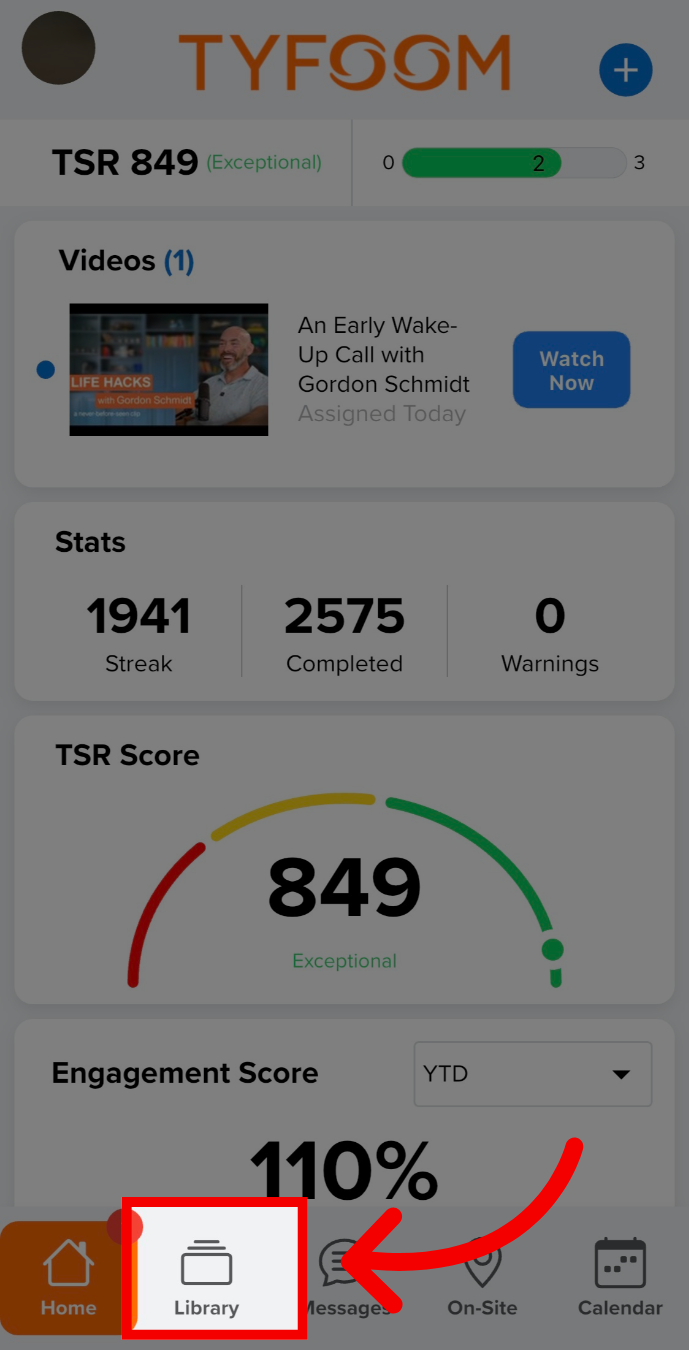
1. Open the Tyfoom app
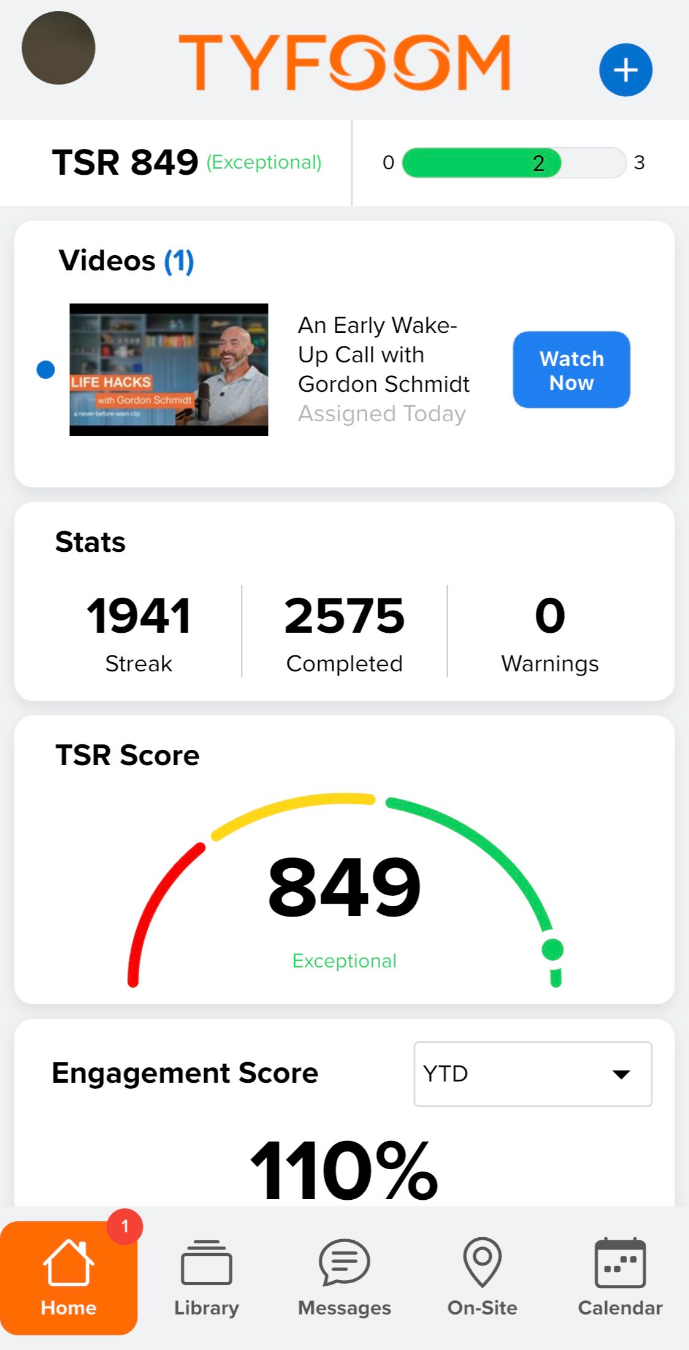
Open the Tyfoom app

2. Go to Library

Go to Library

3. Tap Forms (or desired item)
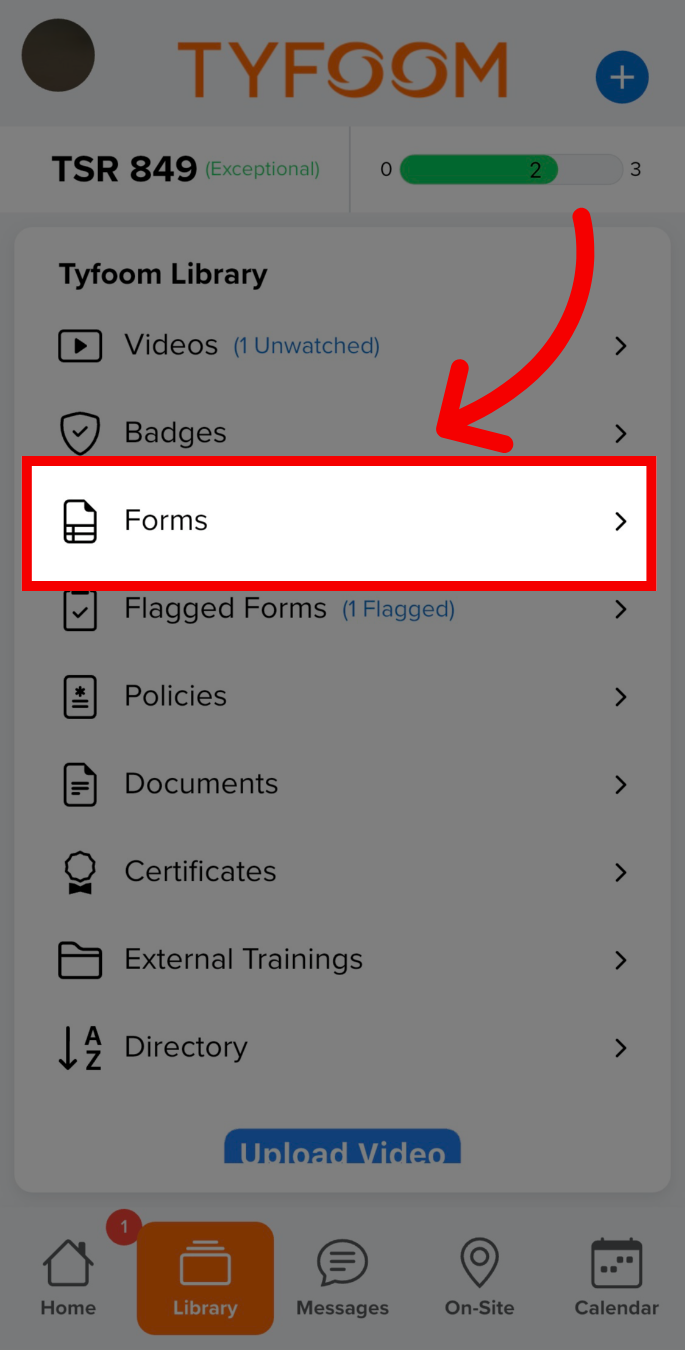
Tap Forms (or desired item)

4. Long-press on the form
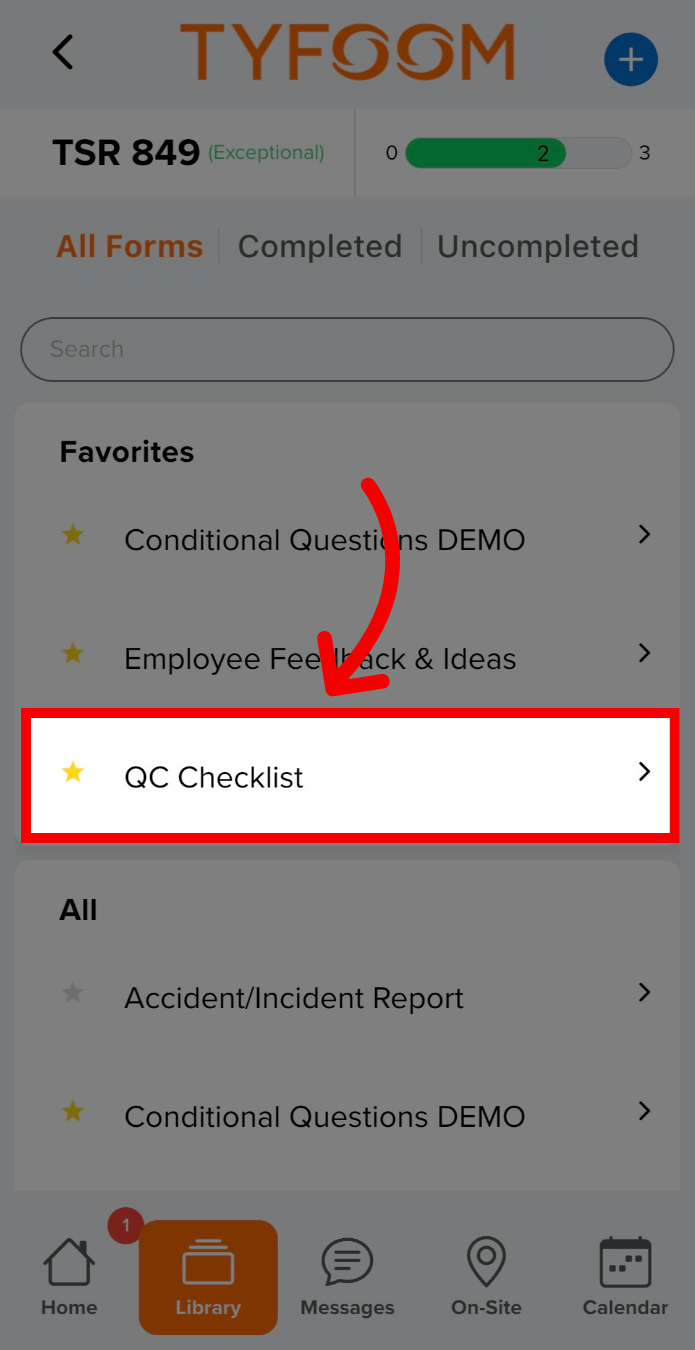
Long-press on the form

5. Tap "Add to Homescreen"
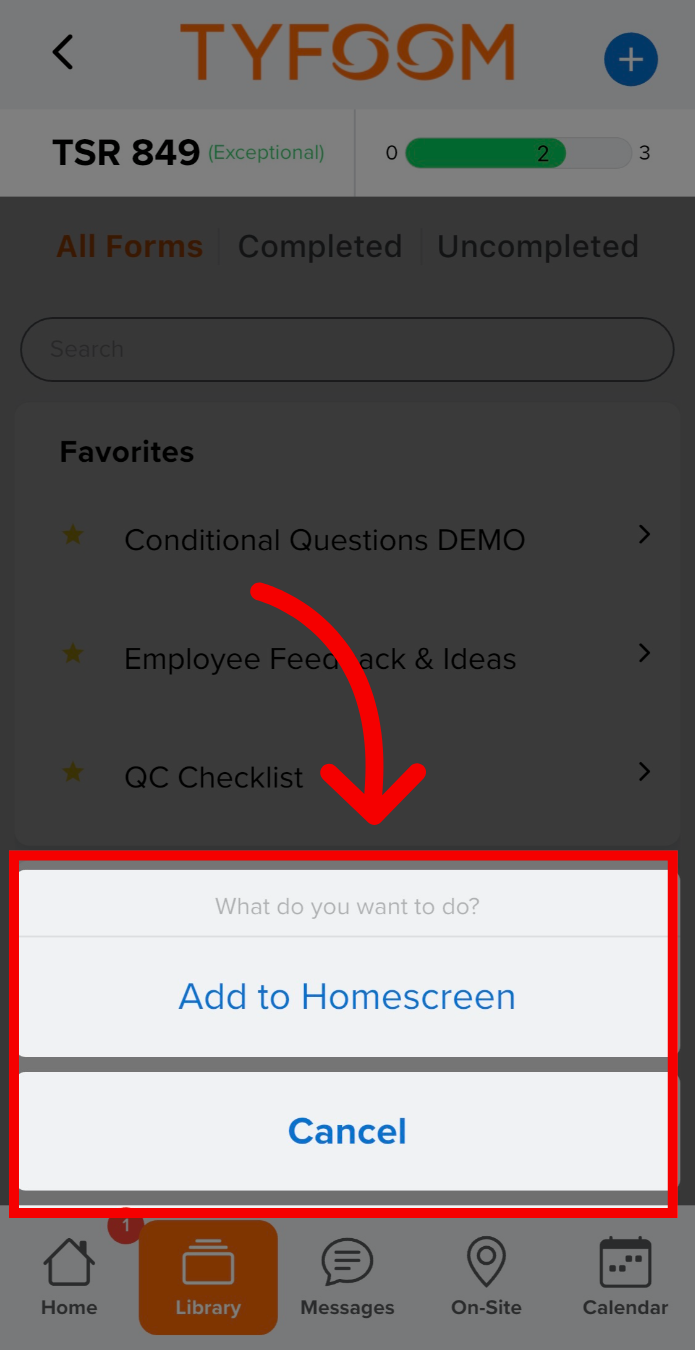
Tap 'Add to Homescreen'

7. View Home to confirm the item is now added
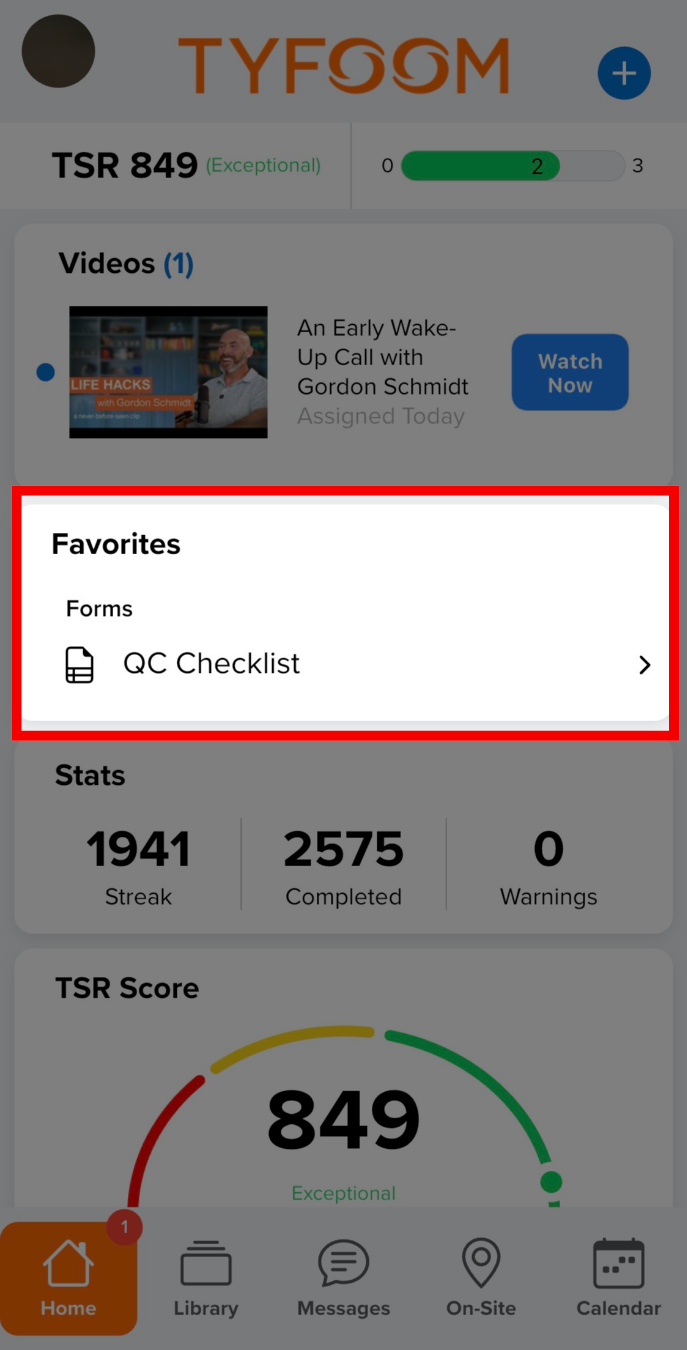
View Home to confirm the item is now added
    • Related Articles

    • Enabling App Notifications for Tyfoom

      These steps may vary slightly depending on your phone model and software version. For Android Users Step 1: Open Settings Unlock your phone and go to the Home screen. Find and tap the Settings icon (usually looks like a gear). Step 2: Select the App ...
    • How to Check for App Updates

      In this guide, we will walk you through how to check for updates on the App Store and the Play Store. On iOS (iPhone or iPad): Open the App Store: Locate and tap the App Store icon on your device’s home screen. Search for Tyfoom: In the search bar at ...
    • Flagged Forms: Notifying Group and Division Managers

      This guide will go over how to set group and division manager(s) to receive notifications for flagged items on any form. Go to app.tyfoom.com 1. Click "Forms" To get started go to the Forms tab. 2. Click "Manage Forms" Click on "Manage Forms" to view ...
    • App Customization

      When using the app customization, it allows you to change the color displayed in the mobile app to match your company's, and well as the splash screen when logging in. Go to app.tyfoom.com 1. Open Tyfoom Open Tyfoom. 2. Click "Settings" Click ...
    • How to Dismiss a Form

      1. Open the Tyfoom app on your mobile device. 2. Tap on the library tab. 3. In the Tyfoom library select "Forms". 4. Tap on "Uncompleted" in the top right of your screen. 5. Find the form you want to dismiss 6. Swipe left on the form to dismiss it. ...